
Table of Contents
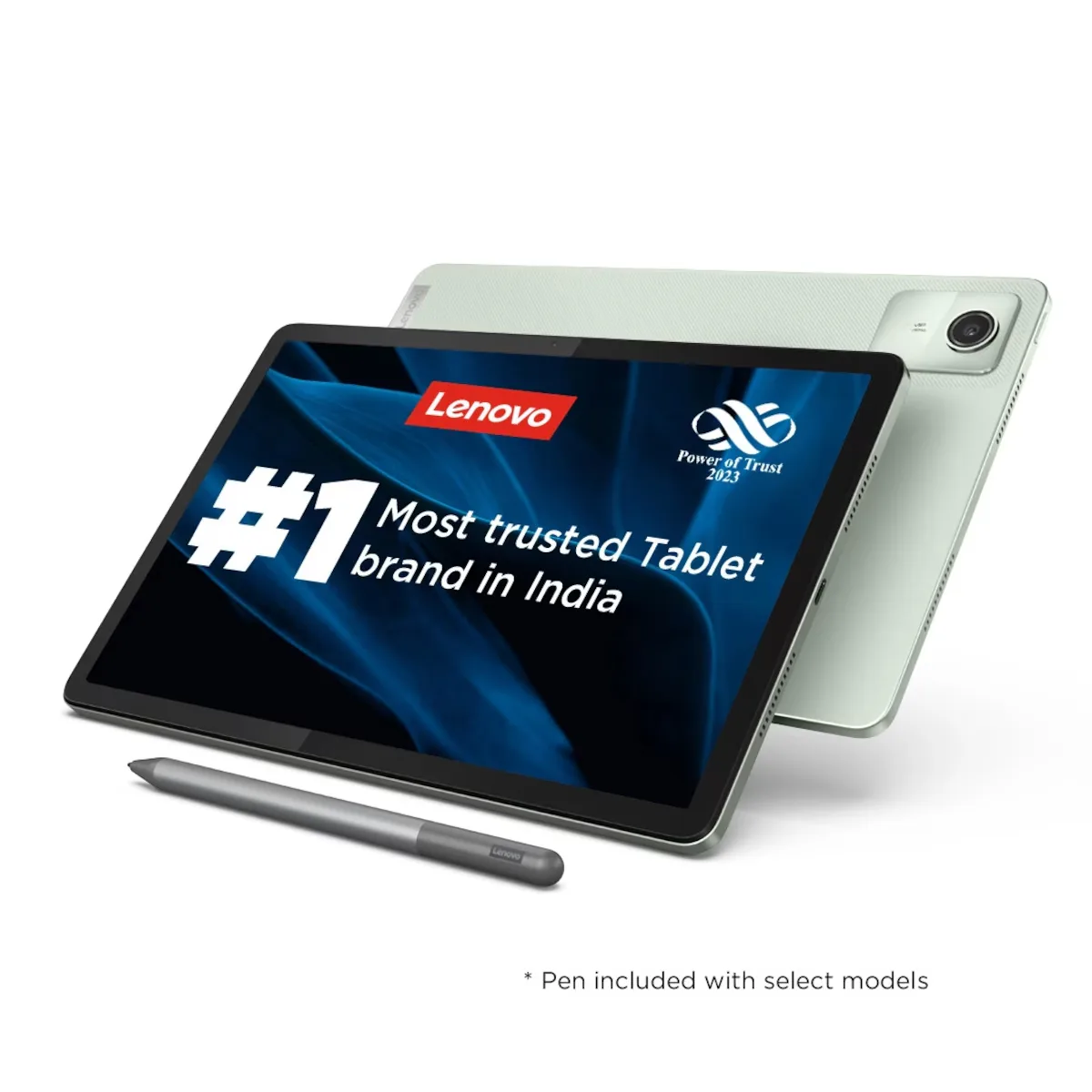
The budget digital landscape has shifted dramatically, moving away from low-cost, disposable hardware toward devices that offer sustainable everyday utility. Consumers no longer accept sluggish interfaces and washed-out screens just because a device is affordable. Today, a tablet must operate as a reliable digital notebook, a seamless streaming hub, and a light administrative workstation. The Lenovo Tab M11 was engineered specifically to meet these expectations, destabilizing the entry-level market by introducing a fluid 90Hz refresh rate and a bundled active stylus without the usual premium price markup.
Now, evaluating this hardware architecture from a long-term perspective, we break down how it holds up against modern workflows, where it hits its performance limits, and whether it deserves a spot in your tech setup.
Technical Specifications and Architecture of the Lenovo Tab M11
To understand the operational ceiling of this machine, we must look past slick marketing pages and analyze the core silicon and structural choices. Lenovo built this platform around touchpoint quality and material durability rather than raw, high-cost processing power.
Comprehensive Hardware & Real-World Utility Matrix
| Hardware Component | Official Technical Specifications | Target Use Case & Operational Purpose | Long-Term Performance Grade |
| Display Panel | 11-inch IPS LCD, 1920 x 1200 resolution, 90Hz refresh rate, 16:10 aspect ratio, 400 nits brightness. | Smooth UI transitions; crisp rendering of small vector fonts in textbooks, sheets, and web articles. | Grade: A- (The 90Hz refresh rate keeps system navigation fluid; outdoor visibility is legible but struggles in direct noon sunlight). |
| SoC Processor | MediaTek Helio G88 (12nm node, Octa-core: 2x Cortex-A75 @ 2.0GHz + 6x Cortex-A55 @ 1.8GHz). | Managing standard application layers, multi-tab web browsing, and background document syncing. | Grade: B- (Excellent efficiency for office suites, reading, and media streaming; encounters bottlenecks during complex 3D graphic rendering). |
| Audio Pipeline | Quad-speaker array integrated with hardware-level Dolby Atmos spatial audio filters. | High-volume audio projection for virtual classrooms, video conferences, and cinematic streaming without external speakers. | Grade: A (Immersive soundstage and excellent vocal clarity that outperforms almost every competitor in its price bracket). |
| Chassis Build | Aluminum alloy unibody design, IP52 dust and splash resistance certification, 465 grams total mass. | Structural protection against accidental drops, liquid spills, and backpack pressure during daily travel. | Grade: A (Feels remarkably premium, rigid, and metallic. It easily resists structural flexing and fingerprints over extended handling). |
Display Performance: Analyzing the Lenovo Tab M11 Panel
The display screen is your primary interface with any digital canvas, and it is usually the first area where budget manufacturers cut corners to save money. Most entry-level devices lock users into a standard 60Hz display cycle. On an expansive 11-inch screen, a 60Hz refresh rate causes visible text trailing, motion blur, and slight interface lag during fast vertical scrolling.
By prioritizing a faster refresh engine on the Lenovo Tab M11, system animations look substantially crisper. This optimization directly reduces optical fatigue during late-night study marathons, deep research sessions, or content editing workflows.
- Why It Matters: High refresh rates aren’t just an empty metric for competitive mobile gamers. They directly dictate how naturally an operating system responds to human touch. By bridging the visual gap between your physical gesture and the display’s reaction, the entire tablet feels noticeably snappier than its baseline processing benchmarks might suggest.
- Real-World Use Case: Imagine a student or remote professional navigating a massive, image-heavy 400-page PDF blueprint or medical textbook. Swiping through dense graphical layouts, zooming into precise technical text, and sliding out menu bars occurs without the choppy, disruptive visual stutter that plagues traditional entry-level displays.
Productivity Architecture: Mastering the Stylus Experience
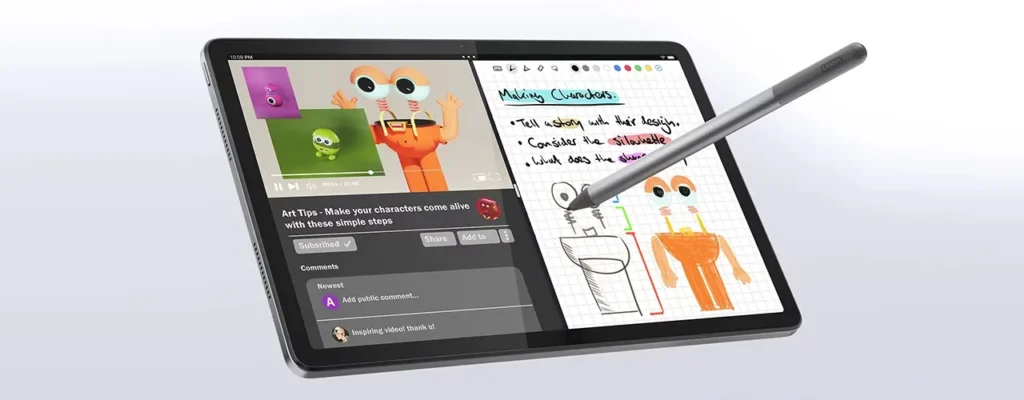
Hidden ecosystem fees are a constant source of frustration for modern tech buyers. Purchasing an affordable tablet for digital handwriting or drawing frequently requires spending an additional $70 to $100 on a separate proprietary pen accessory. Lenovo completely removes this financial barrier by bundling a high-quality active digitizer pen directly inside the standard retail box.
[Retail Package Contents] ---> Includes Lenovo Tab Pen (Active Digitizer)
                               └── Saves $70+ compared to competitor ecosystems
[Software Optimization]   ---> Pre-loaded Nebo & MyScript Calculator licenses
                               └── Instant handwriting-to-text conversion layers
Precision Input & Advanced Palm Rejection
The bundled stylus communicates directly with an active electronic digitizer layer constructed beneath the protective glass of the Lenovo Tab M11. This architectural setup enables authentic pressure sensitivity and dependable palm-rejection protocols. Because the screen recognizes the unique electronic signature of the pen tip, you can rest the side of your hand completely flat against the glass display while writing, perfectly mimicking a traditional physical notepad.
- Why It Matters: Cheap passive styluses—the generic ones featuring soft rubber or plastic disc tips—simply simulate a thick human finger. This leads to inaccurate lines, sloppy pen strokes, and zero precision. An active digitizer allows the operating system to isolate your pen inputs from accidental touch inputs, making fine-line diagram sketching, mathematical annotation, and margin note-taking smooth and highly accurate.
- Real-World Use Case: Highly practical for remote freelance administrative workers, artists, or managers who need to digitally sign contracts on the fly, mark up layout drafts, or sketch user-experience wireframes inside applications like Sketchbook without investing in a dedicated, high-cost desktop drawing pad.
Performance and Limitations of the Lenovo Tab M11
Maintaining a high-authority tech platform requires delivering completely transparent, unbiased hardware critiques. The longevity of budget hardware depends on efficient software optimization. The mature MediaTek Helio G88 processing chip driving the system is a stable workhorse. It lacks a dedicated neural processing engine, meaning heavy on-device generative AI photo creation models or local LLM execution layers are out of reach. However, for core daily applications, system stability remains rock-solid.
Read more: iPad Pro M4 Features and Specifications Explained 2026
Multi-Window Task Management & Workstation Flow

Lenovo’s user interface features a dedicated multi-window workstation mode that allows users to run applications in an adjustable split-screen orientation or inside independent floating windows.
Major Takeaway: The operating software layer is beautifully lightweight. By removing heavy custom visual animations and unnecessary bloatware, the central processing unit can focus its full clock cycles directly on your active foreground work.
- The Productivity Workflow: The system configurations handle dual-application states with ease. You can run a live, high-definition video lecture on the left half of the panel while keeping an extensive note-taking application active on the right side. The tablet manages these concurrent data streams without background app crashes or aggressive RAM clearing.
- The Performance Ceiling: Visual performance bottlenecks emerge if you attempt to push past three active concurrent system processes. For instance, keeping ten complex browser tabs open in the background while simultaneously editing a media-heavy presentation slide and running a high-fidelity audio stream will push the processor to its thermal limit, causing occasional interface frame drops. Furthermore, the integrated Mali-G52 GPU is tailored for casual gaming; attempting to run demanding, unoptimized open-world 3D gaming titles will result in choppy frame rates.
Detailed Pros & Cons Breakdown
Evaluating an affordable device requires understanding exactly what performance trade-offs you can comfortably live with relative to your personal budget constraints.
The Advantages (Pros)

- Exceptional Battery Longevity: The massive internal 7,040 mAh battery cells consistently deliver between 9 to 10 hours of active screen-on time during continuous web navigation and document creation loops.
- Premium Metal Construction: The aluminum alloy unibody backplate prevents structural flexing under pressure, ensuring internal motherboard pathways remain completely safe from backpack compression forces.
- Expandable Local Storage Capacity: A dedicated MicroSD card slot supports external cards up to 1TB, allowing you to carry massive offline video courses and media files without maxing out internal storage reserves.
- Certified Ocular Safety Tiers: TUV Rheinland certified low-blue-light hardware-level filtering minimizes visual fatigue and circadian rhythm disruption during late-night reading sessions.
The Disadvantages (Cons)
- Slow Recharge Cycles: Power delivery is hard-capped at 15W wired charging speeds. Replenishing a fully depleted 7,040 mAh reservoir back to 100% requires approximately 2.5 hours of continuous wall connection time.
- No Integrated Biometrics: The total lack of a physical fingerprint scanner means user authentication relies entirely on basic front-facing optical face unlock or manual alphanumeric PIN entry.
Final Verdict
For professionals, students, and casual users seeking a highly dependable digital notepad for document management, media streaming, and light administration, the Lenovo Tab M11 stands out as an exceptionally smart purchase. It bypasses the flimsy plastic traps of the low-end tablet market to provide genuine, daily workspace utility. By concentrating its engineering budget directly into screen fluidness, unibody durability, and a zero-cost active pen bundle, Lenovo has delivered a stellar budget powerhouse that completely refuses to feel like a compromise.
Read more: Lenovo ThinkPad T14 (2026): The Ultimate AI Workhorse Guide