

Table of Contents
Whether you are building an ultra-clean home office workspace or dialing in a high-performance PC gaming rig, desk space is often your most valuable real estate. Standard mouse pads leave your mouse restricted to a tiny corner, while traditional extended mats only cover the area directly underneath your keyboard.
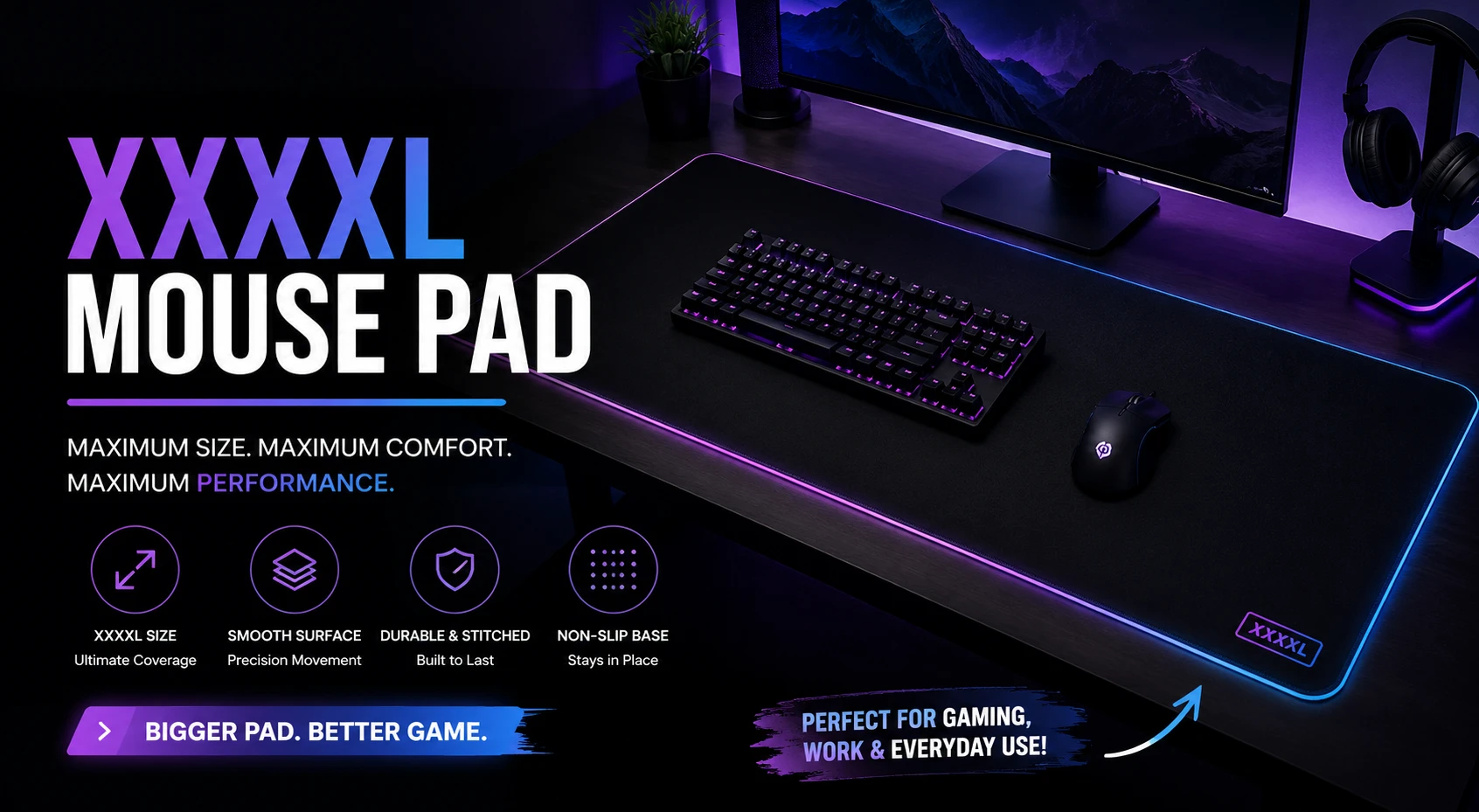
Upgrading to a true xxxxl mouse pad—frequently referred to as a 4XL desk mat—transforms your entire desk into a single, unified, high-tracking surface.
Beyond providing an unrestricted area for low-sensitivity mouse sweeps, a full-coverage desk mat protects your desk finish from scratches and coffee rings, cushions your arms, and dampens mechanical keyboard noise. This comprehensive guide covers everything you need to know about choosing, measuring, and maintaining an xxxxl mouse pad in 2026.
What Exactly Is an XXXXL Mouse Pad?
Mouse pad sizes have evolved significantly over the past decade. Where basic office pads once measured just 250×200mm, modern extended setups demand far larger dimensions.
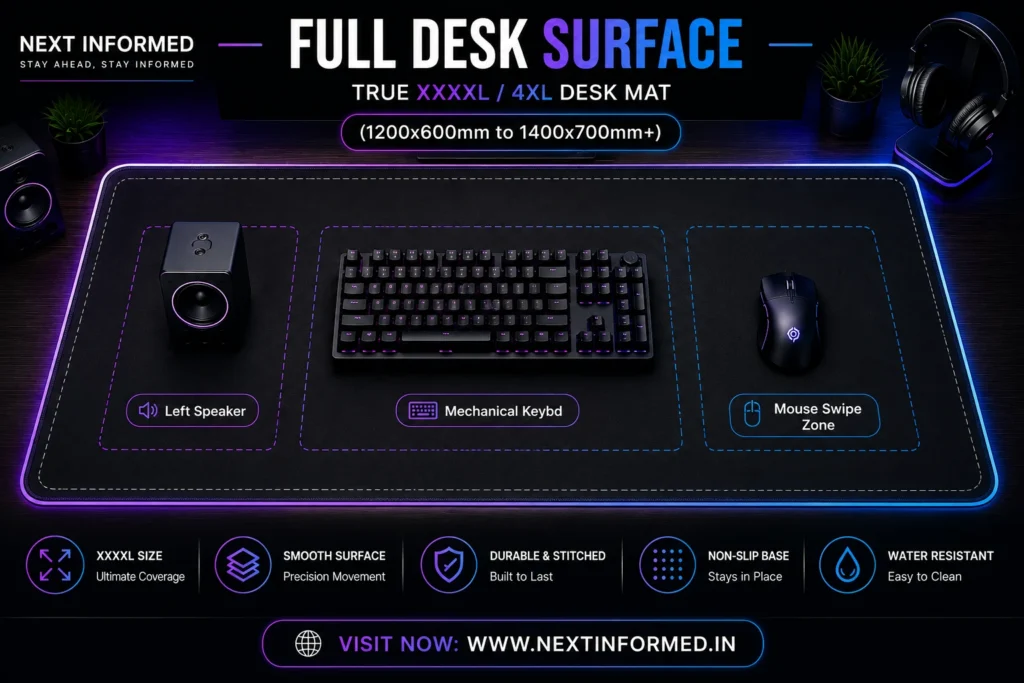
An xxxxl mouse pad sits at the top of the size hierarchy:
- Standard / Large Pads (320×270mm): Designed strictly for mouse movement.
- Extended XL Pads (900×400mm): Accommodates a standard keyboard and mouse.
- 3XL Pads (1000×500mm): Covers the center region of medium desks.
- XXXXL / 4XL Pads (1200×600mm to 1400×700mm+): Spans almost the entire surface of large executive or standing desks, providing full-coverage protection and an endless tracking surface.
By covering the vast majority of your desk’s wooden, glass, or laminate top, an xxxxl mouse pad eliminates uneven edges between your keyboard and mouse, creating a smooth, level plane across your workspace.
How to Measure and Select the Right XXXXL Mouse Pad
Before purchasing an oversized pad, take precise measurements of your workspace. An oversized pad that hangs over the edge of your desk or collides with monitor mounts can cause frustrating bumps and premature wear.
1.Measure Desk Width and Depth:Account for monitor arms and accessories.
Use a tape measure to check your usable desktop surface. Ensure you have at least 1200mm (47.2 inches) in length and 600mm (23.6 inches) in depth available. If your monitor uses C-clamp desk mounts, measure from the front edge of the mount to the front edge of the desk.
2.Choose the Surface Fabric Texture:Speed, Control, or Hybrid.
Decide between a smooth micro-weave cloth top for rapid mouse gliding, a textured control weave for high-precision stopping power in FPS games, or a water-repellent hybrid material for everyday durability.
3.Select Base Thickness and Density:3mm for firmness vs. 5mm for plush comfort.
Determine how much cushion you want. A 3mm rubber base feels firm and uniform for competitive gaming, while a 4mm to 5mm thick base offers superior wrist cushioning and acoustic sound-dampening for mechanical keyboards.
4.Unroll and Secure Your Setup:Flattening and desk positioning.
Place your new mat across your desktop. The textured anti-slip rubber base will grip your desk. If the edges curl slightly out of the box, place heavy books on the corners for a few hours to flatten them out completely.
Comprehensive Mouse Pad Size Comparison
To help you understand how an xxxxl mouse pad compares to smaller alternatives, review the dimension matrix below:
| Mouse Pad Category | Typical Dimensions (mm) | Typical Dimensions (Inches) | Desktop Coverage | Primary Use-Case |
| Medium / Standard | 320 × 270 mm | 12.5 × 10.6 in | ~10% of standard desk | Compact office cubicles & travel setups |
| Large (L) | 450 × 400 mm | 17.7 × 15.7 in | ~20% of standard desk | Standalone low-DPI gaming mouse pad |
| Extended XL | 900 × 400 mm | 35.4 × 15.7 in | ~45% of standard desk | Keyboard and mouse side-by-side |
| 2XL / 3XL | 1000 × 500 mm | 39.3 × 19.6 in | ~65% of standard desk | Large desks with desktop speakers |
| True XXXXL / 4XL | 1200 × 600 mm+ | 47.2 × 23.6 in+ | 85%+ Full Desk | Complete setup coverage & studio workstations |
Key Technical Features to Look For in an XXXXL Mouse Pad
When investing in a full-desk mat, pay attention to the following technical construction details to ensure long-term durability and high sensor accuracy.
1. Micro-Weave Cloth Surface & Sensor Tracking
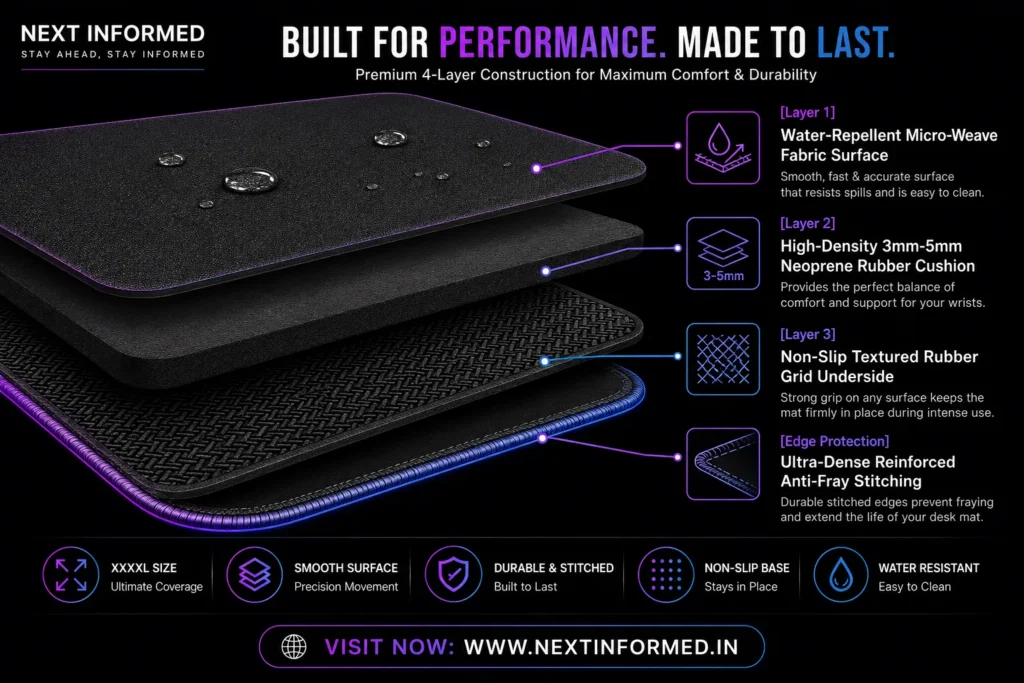
The top layer of a quality xxxxl mouse pad consists of heat-treated, high-density micro-woven cloth. Fine thread counts allow optical sensors (such as PixArt or HERO sensors) to read surface micro-textures accurately without jitter, frame drops, or tracking anomalies during ultra-fast swipes.
2. Anti-Fray Stitched Edges
Because an XXXXL pad spans the front edge of your desk, your arms will constantly rub against the bottom seam. Premium mats feature low-profile, high-density stitched borders. This prevents the top fabric layer from peeling away from the rubber base after months of continuous friction.
3. Rubber Base Density & Anti-Slip Pattern
A massive pad needs a heavy-duty base to stay firmly rooted. Look for high-density natural rubber with a textured herringbone or wave-pattern underside. This ensures that even when making sudden, force-heavy mouse sweeps, your entire desk pad remains completely locked in place.
4. Water-Repellent and Spill-Resistant Coatings
Since an xxxxl mouse pad covers the area where you place water bottles, coffee mugs, or snacks, choosing a mat with an ambient hydrophobic coating is ideal. Liquid spills bead up on the surface instead of instantly soaking into the foam, allowing you to wipe them away cleanly with a paper towel.
Ergonomic, Acoustic, and Practical Benefits
While many view an xxxxl mouse pad primarily as an aesthetic upgrade, it offers several practical advantages for daily computer work:
Mechanical Keyboard Sound Dampening
Mechanical keyboards placed directly on hard wood or glass desks transmit sharp acoustic resonance through the desk surface, creating a hollow “pinging” noise. A 4mm or 5mm thick rubber pad acts as an acoustic isolator, absorbing low-frequency vibrations and producing a deeper, quieter typing sound signature.
Wrist and Arm Comfort
Hard desk edges can compress the nerves in your forearms during long typing sessions. An extended cushion along the front desk edge provides a soft buffer that reduces wrist pressure points and skin irritation.
Full Surface Protection
Desk surfaces made of real hardwood, delicate veneers, or glass are prone to scuffs from keyboard feet, metallic watches, or spilled drinks. A full-coverage xxxxl mouse pad acts as a protective shield across your entire primary workspace.
Maintenance Caution:
Avoid washing your xxxxl mouse pad in a washing machine with harsh detergent or hot water, as high temperatures can melt the synthetic rubber base and destroy the adhesive layer bonding the cloth to the rubber.
How to Clean and Wash an XXXXL Mouse Pad
Because an xxxxl mouse pad covers your entire desk, it naturally collects dust, skin oils, and crumbs over time. Cleaning your mat every 2 to 3 months keeps the tracking surface fast and consistent.
- Fill a Tub with Warm Water: Submerge your mouse pad in a clean bathtub or large sink filled with lukewarm water.
- Apply Mild Dish Soap: Add a few drops of mild, bleach-free dish soap directly onto the cloth surface.
- Scrub Gently with a Soft Sponge: Use a non-abrasive microfiber cloth or soft foam sponge to scrub the surface in gentle circular motions. Pay extra attention to high-traffic arm contact areas.
- Rinse Thoroughly: Rinse the pad with cold running water until all soap suds are completely removed.
- Air-Dry Flat: Pat the surface dry with a clean towel, then lay the pad completely flat on a towel in a well-ventilated room for 24 hours. Keep it away from direct sunlight and artificial heating elements.
Frequently Asked Questions (FAQs)
Is an XXXXL mouse pad good for low-DPI FPS gaming?
Yes! Gamers playing with low DPI settings (e.g., 400 to 800 DPI) require large arm movements to turn 180 or 360 degrees. An xxxxl mouse pad gives you over 1,200mm of uninterrupted tracking space, ensuring your mouse never slides off the edge mid-combat.
Will an XXXXL mouse pad fit on a 48-inch desk?
A 1200mm wide xxxxl mouse pad measures exactly 47.24 inches. It will fit tightly on a standard 48-inch desk, leaving roughly a quarter-inch of clearance on each side. Always double-check your desk’s exact frame dimensions before buying.
How do I fix curled edges on a brand new desk mat?
If your rolled-up mat has curled edges upon unboxing, roll it tightly in the opposite direction for 30 seconds, unroll it, and place flat heavy objects (like heavy textbooks or monitor bases) over the corners overnight.
Read more: Best Laptop Under 60000: The Ultimate 2026 Buyer’s Guide